How to Copy and Report Wages
Employers must report wages to the Division of Unemployment Insurance (UI) each quarter, if determined to be liable. Wage detail information from a previous quarter can be copied and modified in MyUI Employer+ to expedite the reporting process.
| Wage Reports are Due Quarterly | |
|---|---|
| April 30 | Quarter 1 reports are due for wages paid in January, February, March. |
| July 31 | Quarter 2 reports are due for wages paid in April, May, June. |
| October 31 | Quarter 3 reports are due for wages paid in July, August, September. |
| January 31 | Quarter 4 reports are due for wages paid in October, November, December. |
Step 1. Access Employment and Wage Detail Information
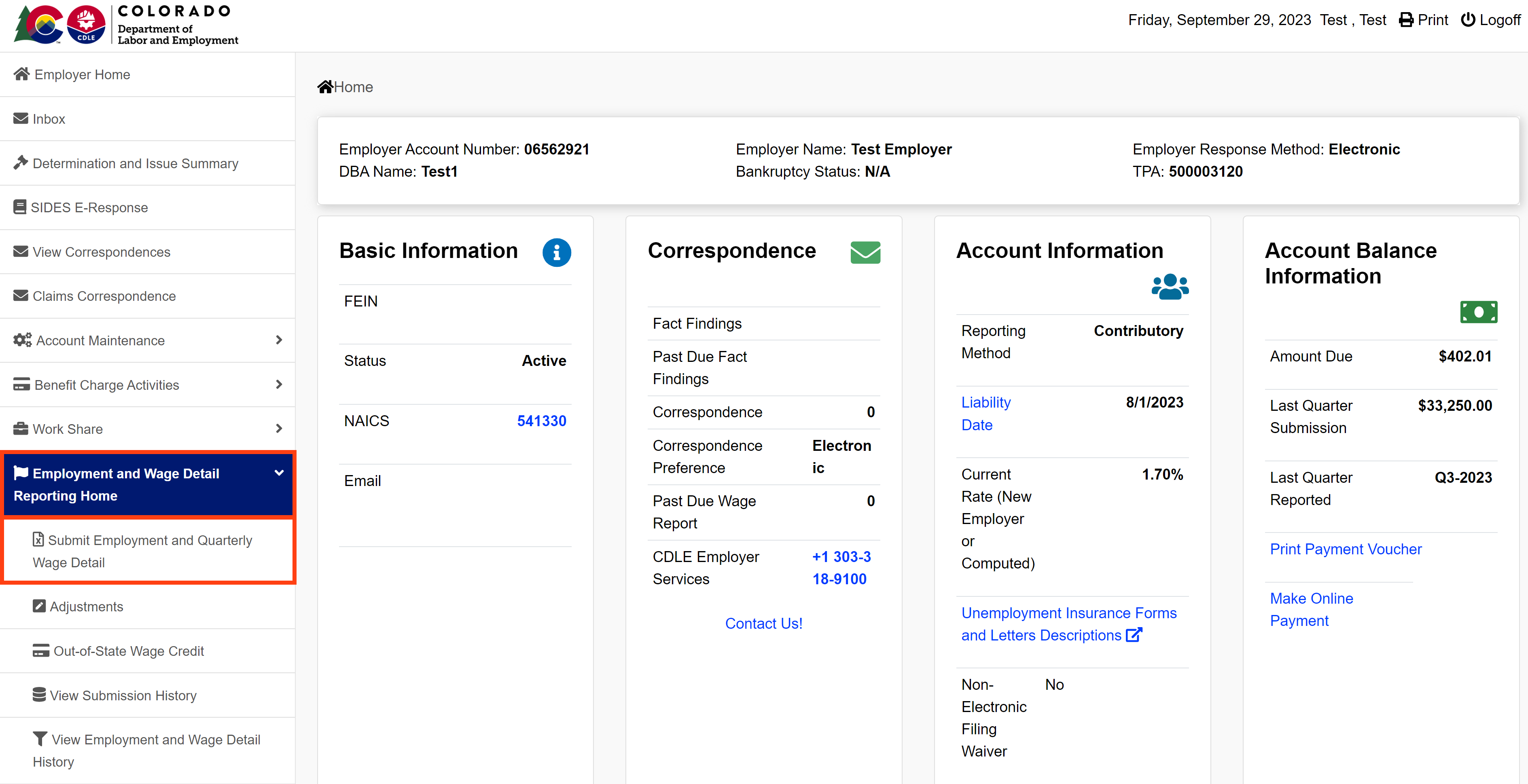
- Login to MyUI Employer+ to access your Employer Home page.
- Click the “Employment and Wage Detail Reporting Home” tab in the left-hand navigation menu.
- Click the “Submit Employment and Quarterly Wage Detail” subtab.
Step 2. Select the Reporting Period
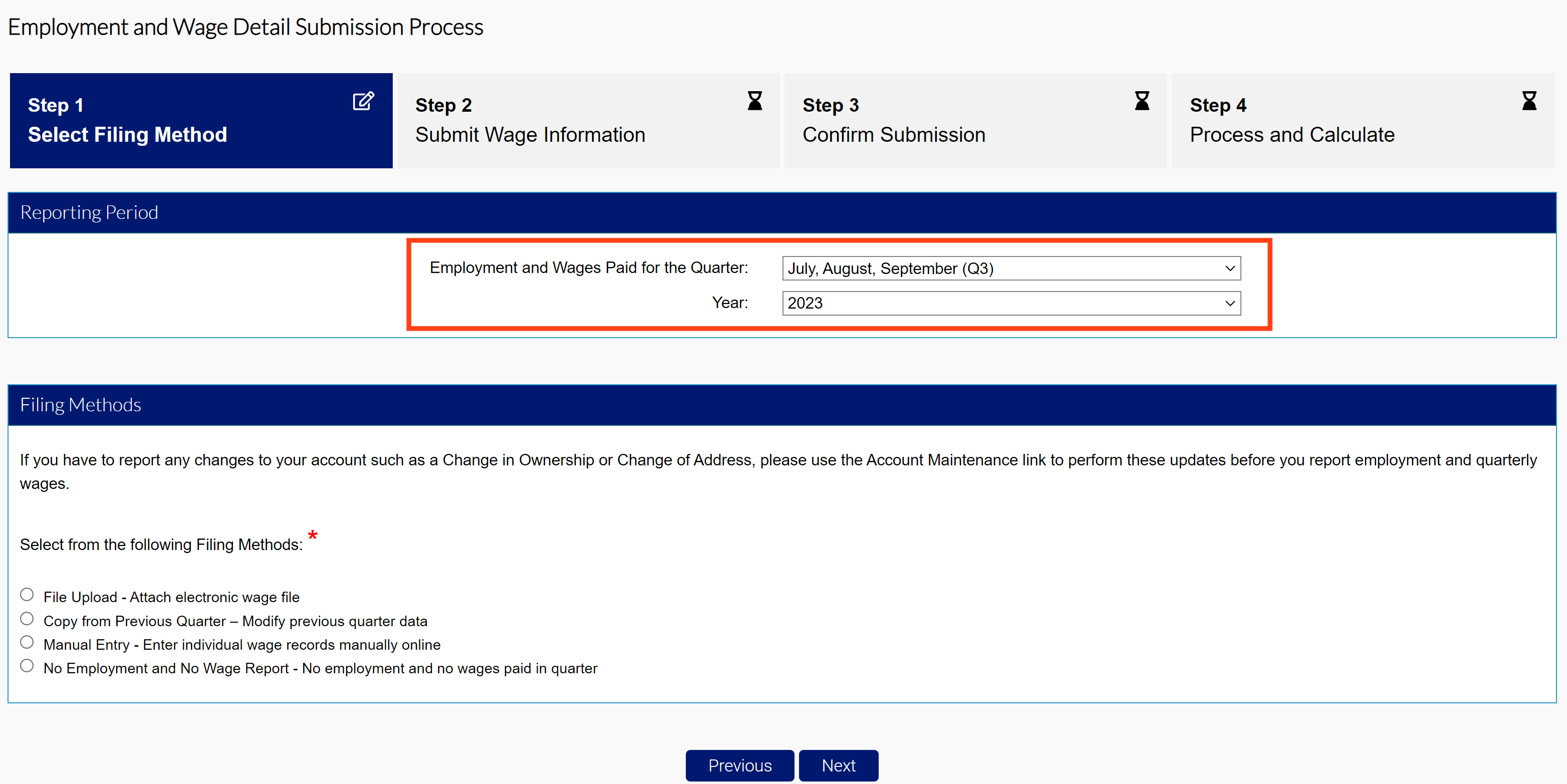
- Select the quarter and year of the wage report you are filing using the provided dropdowns.
MyUI Employer+ will only allow wage submissions for the current quarter, or previous quarters the employer liable for.
Step 3. Copy & Modify Wages from Previous Quarter
Copy and modify wage information from a previous quarter.
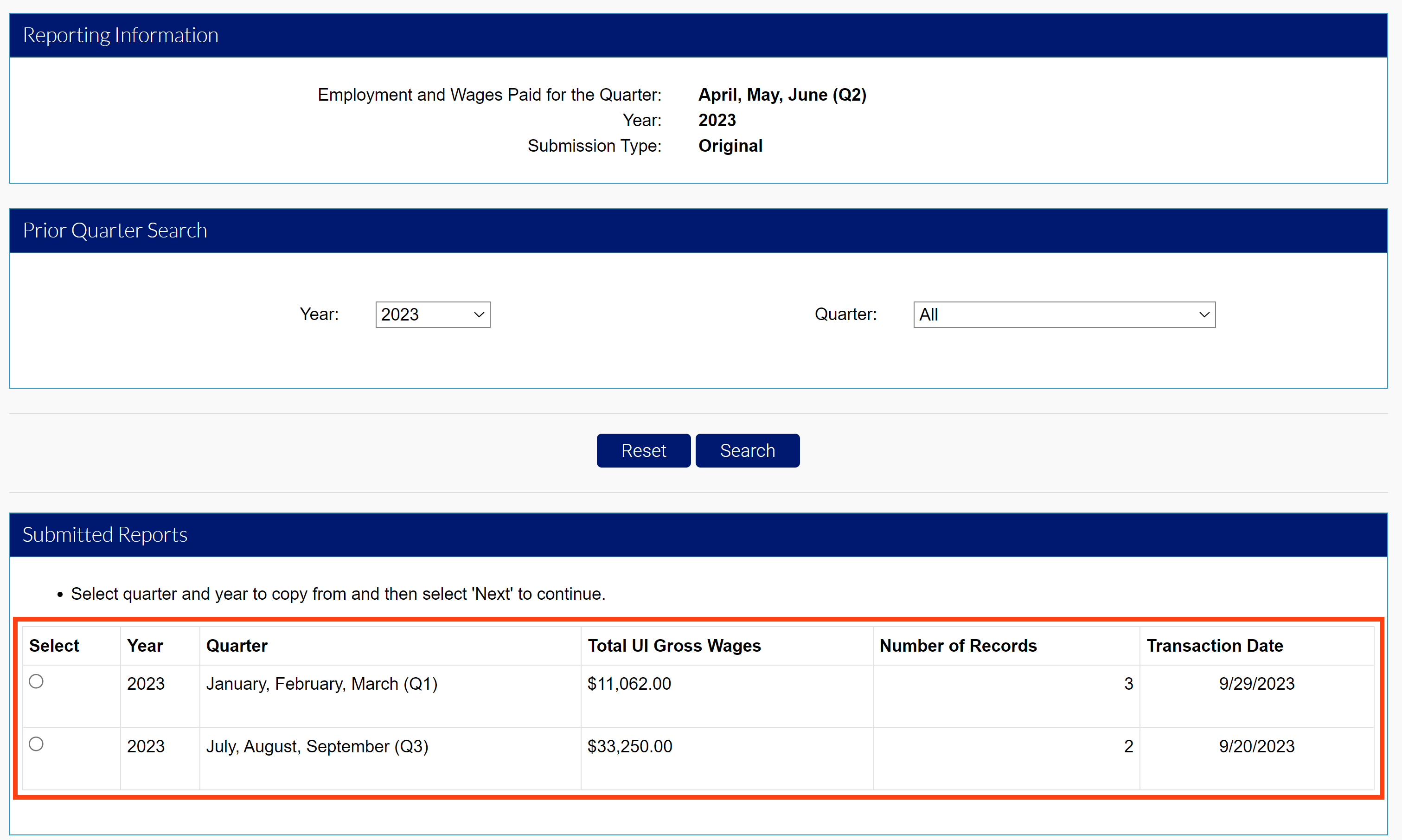
- Click the “Copy from Previous Quarter” radio button in the Filing Methods screen.
- Select the submitted quarter you want to copy.
- Search from previous quarter submissions or select from the submitted reports.
- Select the report you want to copy.
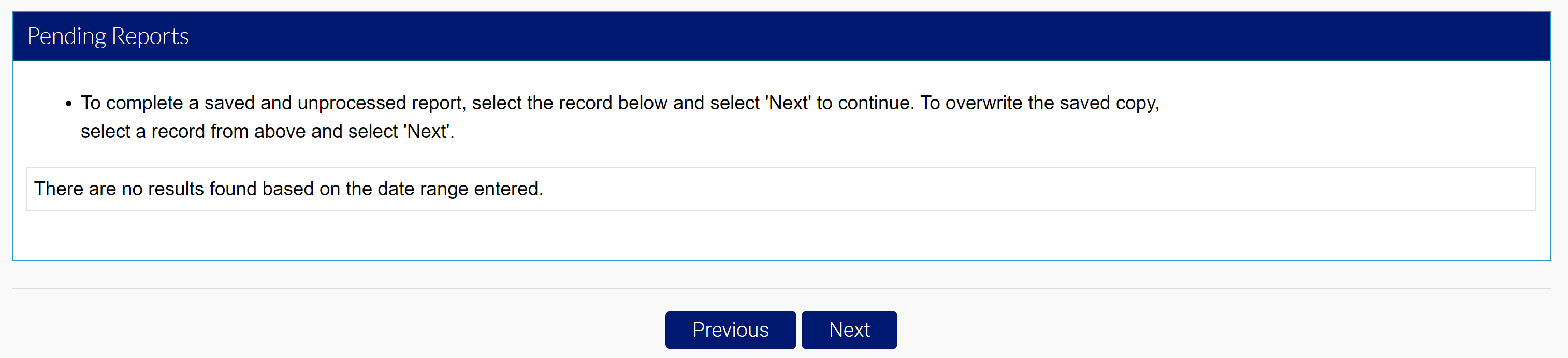
- Click “Next”.
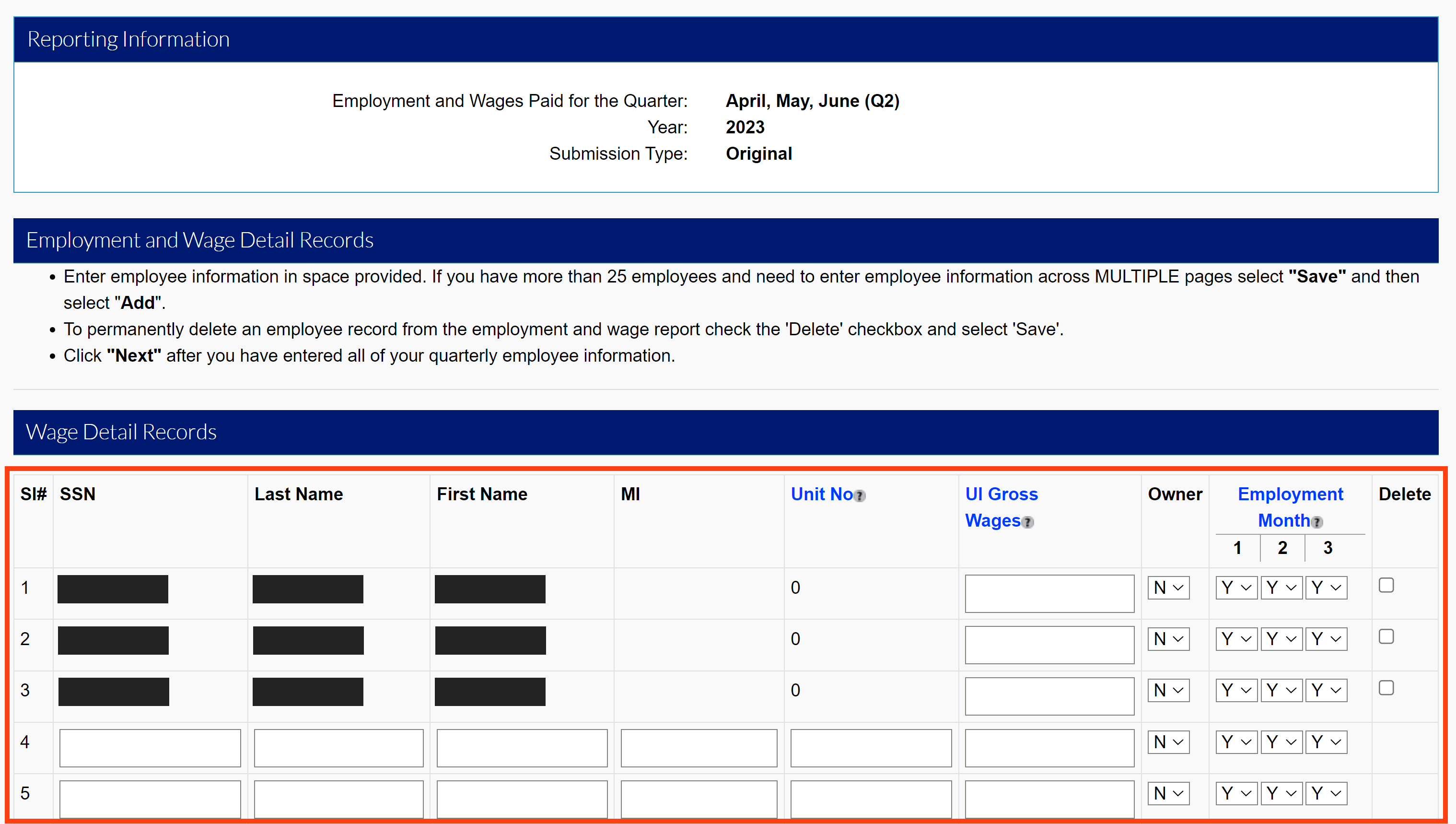
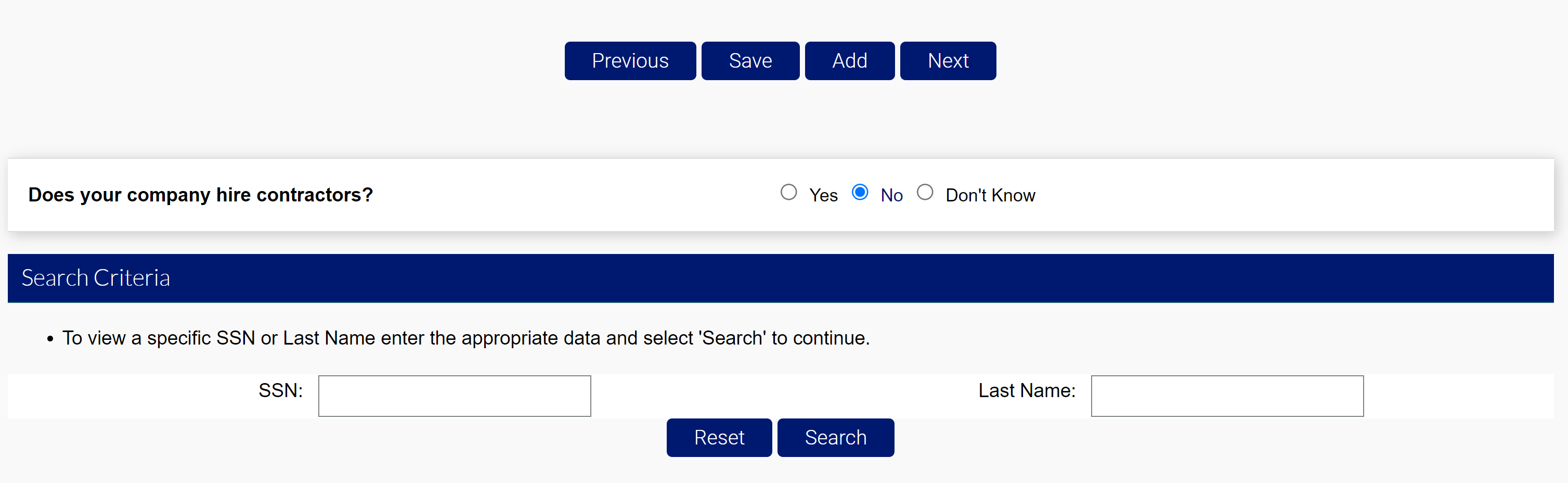
- Enter wages, adjust employment months, add or delete individuals, or search by SSN or Last Name in the Wage Detail Records section.
- Click “Save” after your entry.
- Click “Next” to continue.
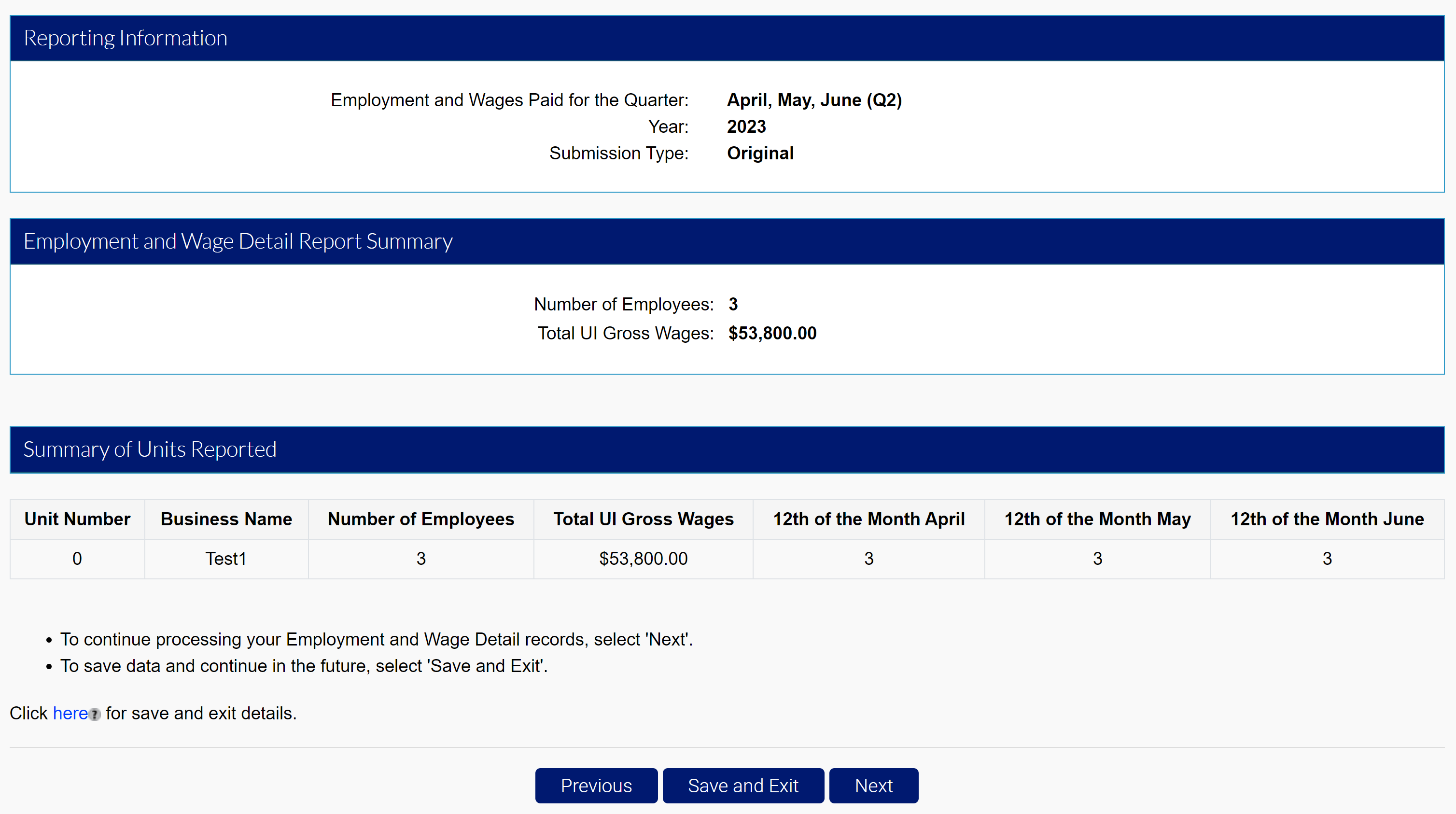
- Review the report summary.
- Click “Next” to continue to the Quarterly Calculations screen.
Step 4. Submit Your Wage Report
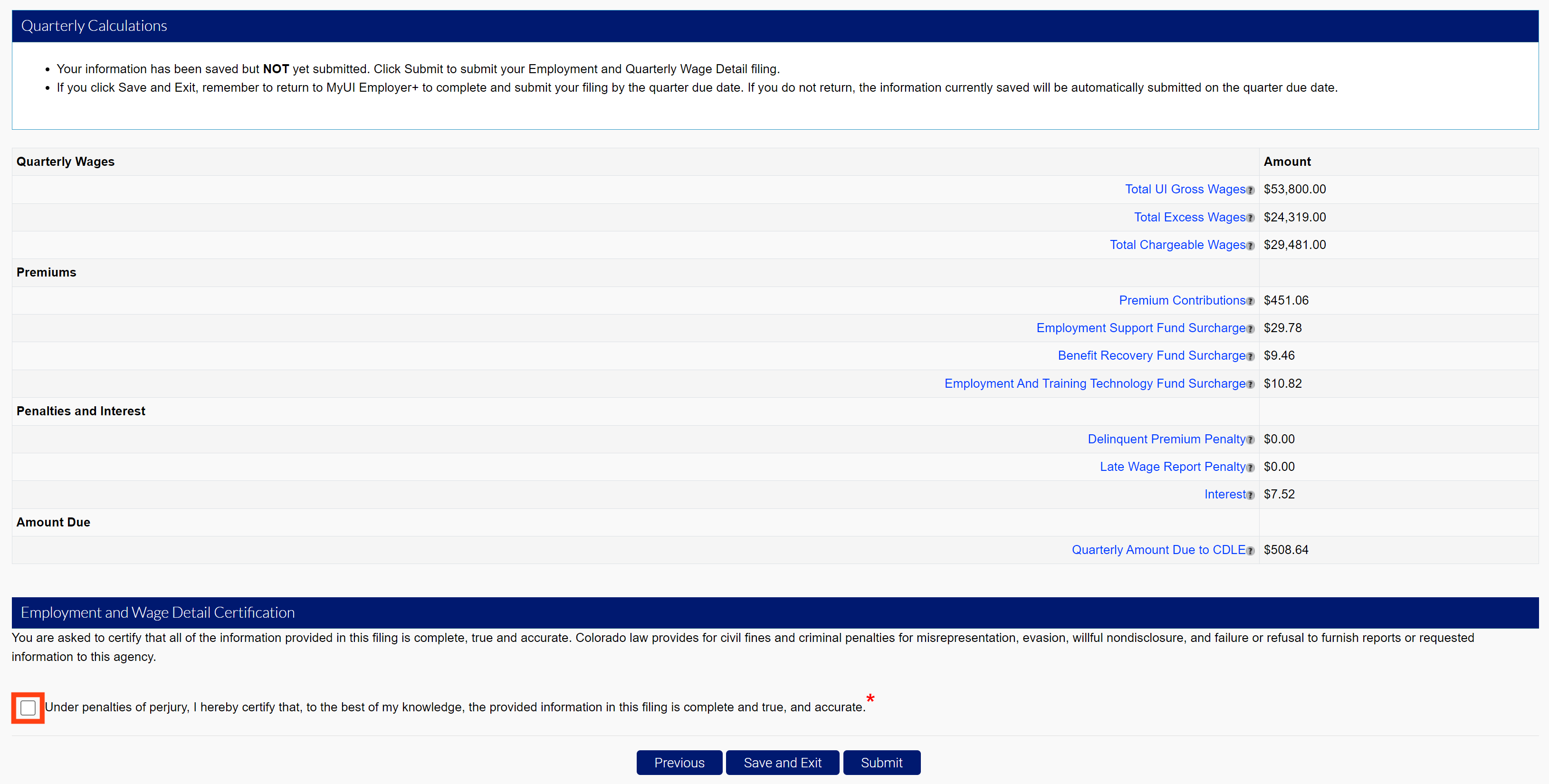
Regardless of your filing method, the Quarterly Calculations screen includes the breakdown of wages, premiums, penalties and interest, and the total amount due.
- Click the certification box.
- Click “Submit” to submit your wage report.
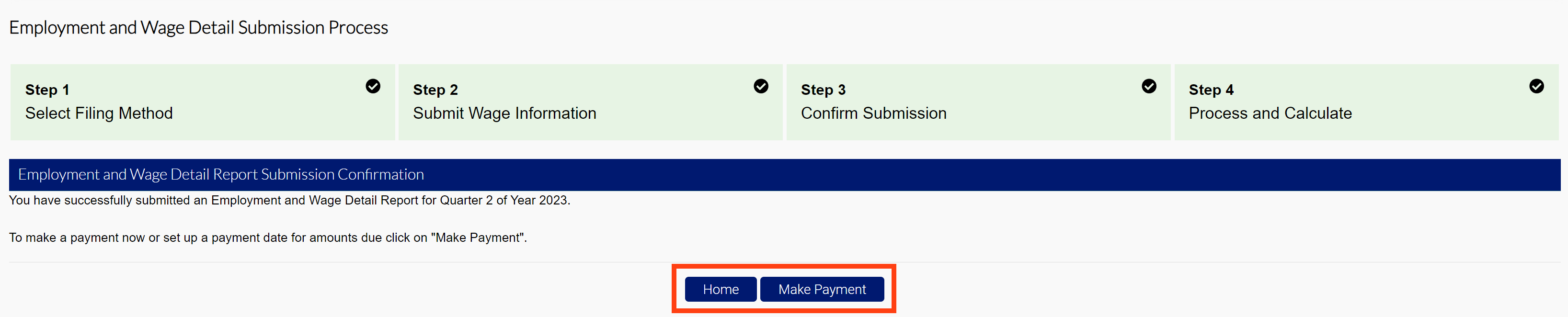
- Click “Make Payment” to proceed to the premium payment screen.
- Click “Home” to return to the Employer Home page.