
How to Report Monthly Employment Data
Employers and third party administrators (TPAs) are required to include monthly employment data when submitting quarterly wage reports to the Division of Unemployment Insurance (UI). Monthly employment data impacts important economic statistics and many other measures of the labor market and overall economy. The accuracy of these economic indicators relies on the accuracy of the information reported by employers and TPAs.
Monthly employment data is a count of all employees who:
- Were subject to Unemployment Insurance laws
- Worked full and/or part time
- Received pay for the pay period which includes the twelfth day of the month
Entering Monthly Employment Data
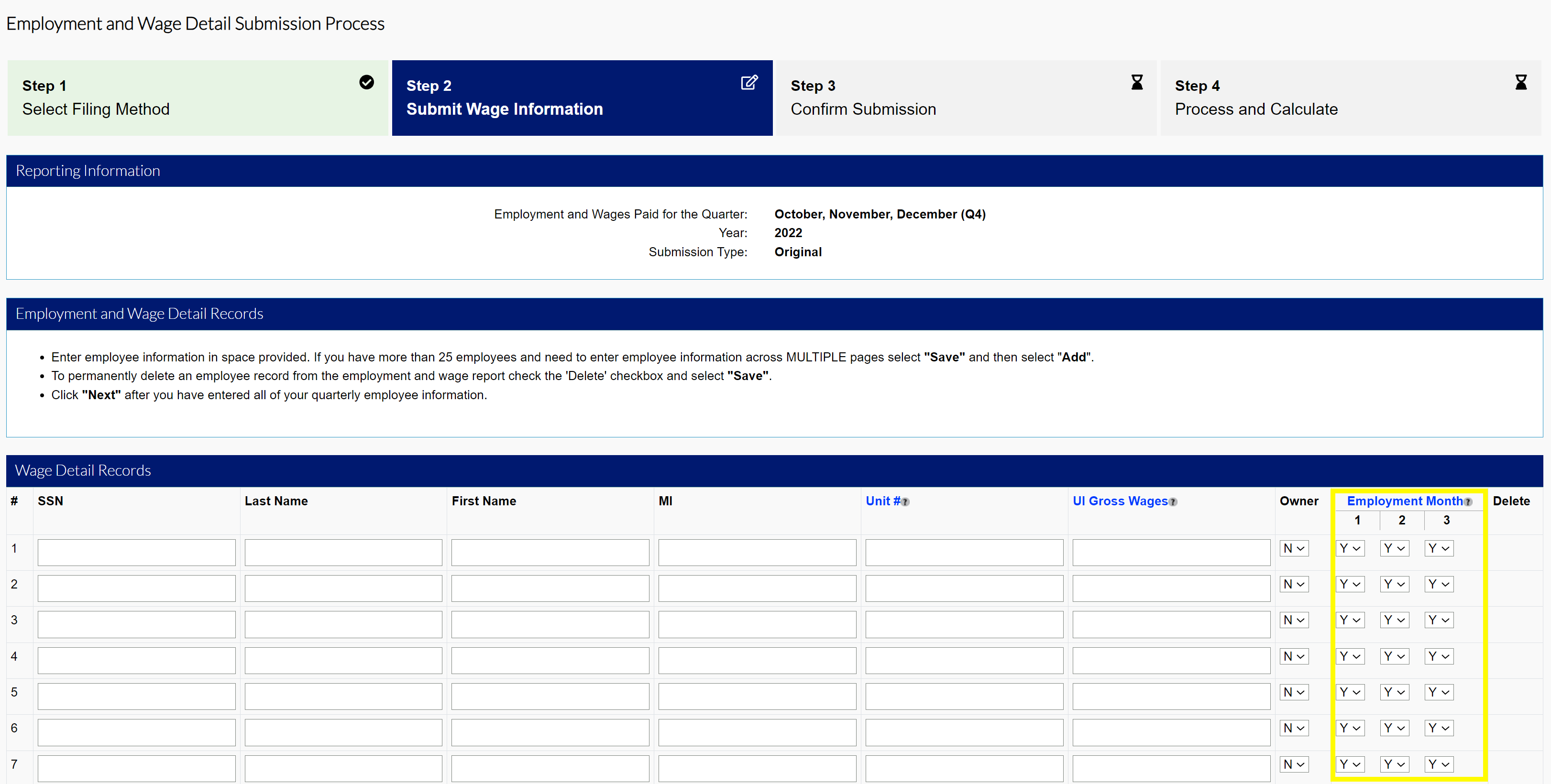
Employers and TPAs must report monthly employment data during the wage reporting process in MyUI Employer+. Users are asked to indicate monthly employment with a “1” (or “Yes”) or “0” (or “No”) for each social security number (SSN) record in their wage report.
Important
Monthly employment data may not always be identical for each month of the quarter. Please account for any possible staff turnover when entering monthly data, especially for employers with many employees.
For in-system manual reporting, the data is entered in the Employment Months columns as “Yes” or “No”.
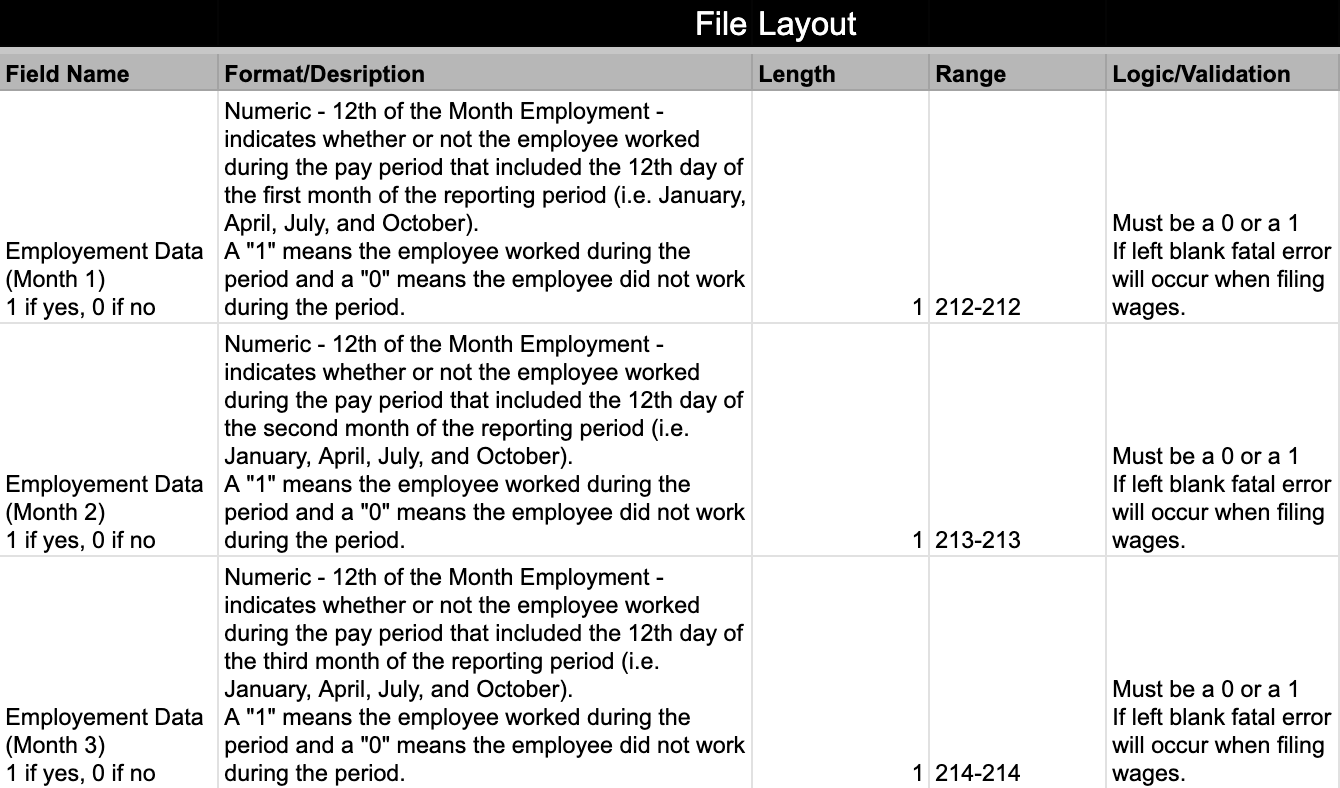
For wage files (including ICESA format), the data is entered in the column as “1” for “Yes” and “0” for “No”.
For example:
- If an employee performed services during the payroll period that includes the twelfth of the month for all three months in the quarter, you would enter “1” (or “Yes”) for all three months.
- If an employee performed services during the payroll period that includes the twelfth of the month for only two months of the quarter you would enter “1” (or “Yes”) for the first two months, and “0” (or “No”) for the third month
Employers with Multiple Locations
Employers with multiple locations in the state must submit a quarterly Multiple Worksite Report (MWR) with the US Bureau of Labor Statistics if the locations in the state report wages under one UI Employer Account Number (EAN), and the total number of employees equals 10 or more combined in the secondary locations. Contact MWR.Helpdesk@bls.gov for more MWR information.